A managed firewall is not simply a barrier at the edge of your network. For a manufacturer connecting PLC data, a warehouse running cloud inventory, or a labour-hire business processing payroll and timesheets, it is a practical control point for deciding what traffic is allowed, what needs closer inspection and what should be blocked before it becomes a business interruption.
Small and mid-sized businesses are often exposed in ways that are easy to miss. Staff use cloud applications from site offices, mobiles and home networks. Suppliers may need controlled access to portals or files. Production equipment, point-of-sale devices and guest Wi-Fi can sit alongside finance and operational systems. As these connections grow, firewall management becomes a full-time security responsibility rather than a once-a-year IT task.
What a managed firewall does
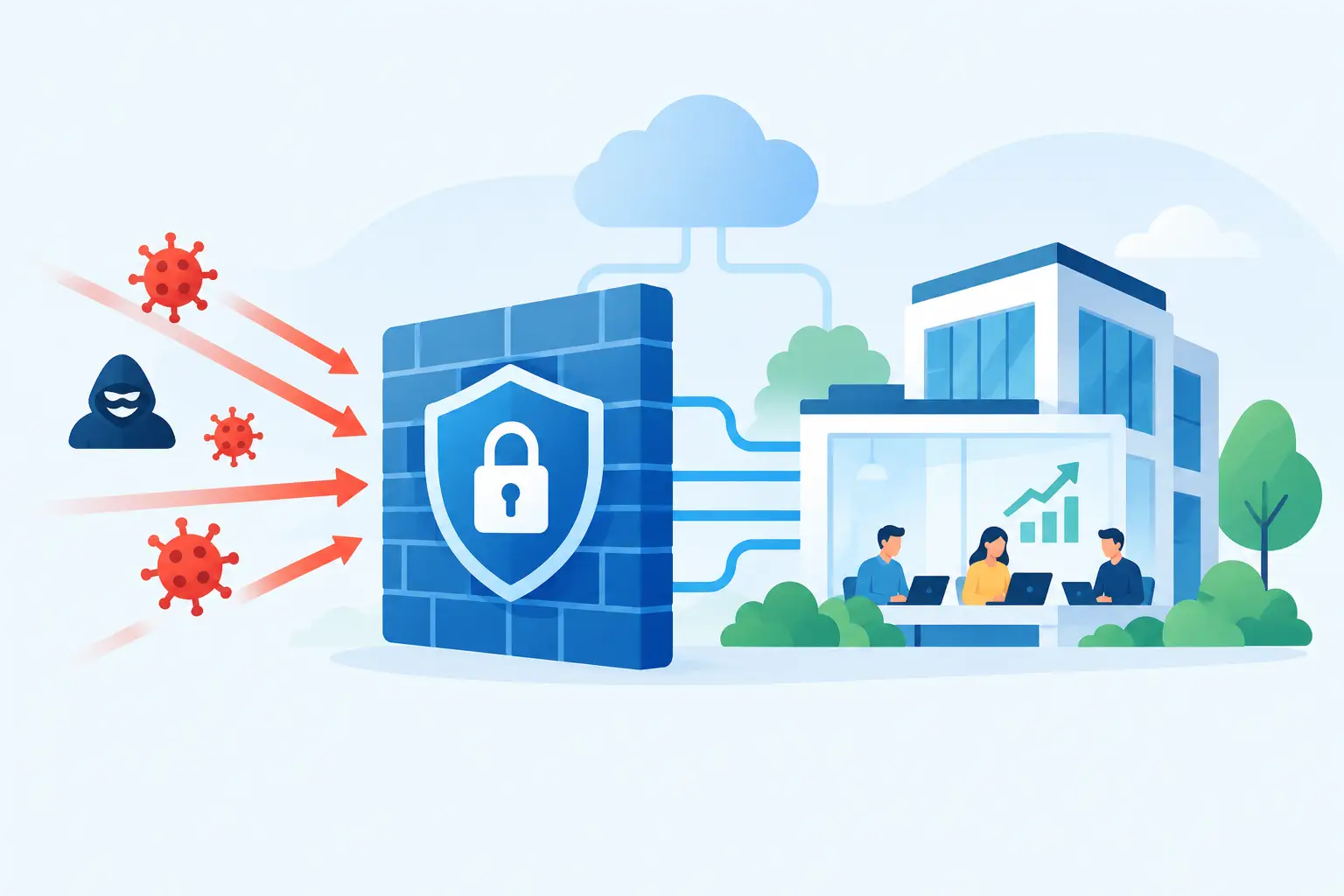
A firewall applies rules to network traffic. It can restrict unauthorised connections, separate sensitive systems, inspect traffic for known threats and provide records that help investigate unusual activity. A managed firewall adds a security team and ongoing operational process around those controls.
Rather than installing an appliance, applying a basic rule set and hoping it remains suitable, a managed provider monitors alerts, maintains policies, applies updates and responds to events according to an agreed service model. The service may cover a physical firewall at a site, a cloud firewall protecting hosted systems, or both.
For operationally complex businesses, the value is often in the details. Finance users may need safe access to cloud accounting and banking services. Warehouse scanners and production terminals may need to communicate with specific applications. Machine or PLC connectivity may require carefully controlled network paths. A well-managed firewall supports these workflows without giving every device unrestricted access to the wider network.
Why firewall management matters beyond IT
A security incident quickly becomes an operations and finance problem. If ransomware stops access to stock records, job schedules, invoices or production instructions, the impact can include delayed dispatches, manual workarounds, missed billing and difficult customer conversations. If an attacker gains access to a supplier account, a business may also face fraudulent payment requests or exposed commercial information.
The issue is not only external attacks. Misconfigured access, obsolete rules and unmanaged devices create risk from inside the environment as well. A temporary remote-access rule can remain in place long after a contractor has left. A device added to solve a local problem might sit on the same network as critical systems. Without clear ownership, these exceptions accumulate.
Managed security turns this into a repeatable process. It provides accountability for reviewing alerts and policy changes, while giving internal teams clearer visibility of what is happening across their sites and cloud services. That matters for owners and department heads who need confidence that security does not rely on one busy IT generalist remembering every configuration detail.
Core capabilities to expect from a managed firewall
The exact service depends on the provider, your locations and your cloud environment, but several capabilities should be standard in a well-designed arrangement.
Policy management that reflects real work
Firewall rules should be based on how your people, applications and devices actually operate. A retail site, for example, may need point-of-sale systems separated from guest Wi-Fi. A processing facility may need production equipment isolated from office users, with only approved connections to reporting or maintenance services.
This approach is called network segmentation. It limits the ability of an incident in one area to spread into another. Segmentation can be especially valuable where older operational technology must remain in service but was not designed for modern cyber threats.
Continuous monitoring and alert triage
Firewalls generate large volumes of logs and alerts. Most organisations do not have the time or specialist skills to interpret them throughout the day and night. A managed service should identify meaningful signs of risk, such as repeated failed sign-ins, suspicious outbound traffic, unusual access attempts or communications with known malicious destinations.
Monitoring only helps when it leads to action. Ask how alerts are assessed, who contacts your team when an incident occurs, and what response can happen without waiting for approval. The answers should be written in practical terms, not buried in vague promises of protection.
Patch and firmware management
Firewall software requires updates to address vulnerabilities and maintain reliable threat detection. Delayed updates can leave a known weakness open for attackers to exploit. However, updates should be planned carefully in environments with production schedules, remote sites or specialised equipment.
A managed provider should have a change process that balances security with operational continuity. For some businesses, maintenance can occur after hours. For others, especially those with round-the-clock production, the provider needs a tested rollback plan and clear communication before making changes.
Reporting that supports decisions
Security reporting should help management understand risk without turning every reader into a security analyst. Useful reports show blocked threats, critical alerts, policy changes, devices requiring attention and recurring patterns. They should also identify decisions needed from the business, such as replacing unsupported hardware or separating a high-risk network segment.
For organisations using Power BI and connected ERP data, security reporting can sit alongside operational reporting. This makes it easier to consider the business impact of an outage, a vulnerable site or an unmanaged device rather than treating cyber security as a separate technical issue.
Managed firewall versus an in-house approach
An in-house firewall can be appropriate where a business has a dedicated security team, multiple internal network engineers and the capacity to provide after-hours coverage. It may offer more direct control over every change. But the business must still fund training, monitoring tools, threat intelligence, updates, documentation and incident response processes.
For many mid-sized organisations, a managed model is more practical. It brings specialist oversight without requiring a full internal security operations function. Your IT manager remains involved in business decisions and approvals, while the provider handles day-to-day monitoring and technical administration.
There are trade-offs. A managed firewall is not a substitute for sound identity controls, staff awareness, endpoint protection, backups or tested recovery plans. It also requires a provider that understands your operating hours, applications and site constraints. A generic rule set may be technically secure but operationally disruptive if it blocks a legitimate machine integration or essential remote workflow.
Questions to ask before choosing a provider
The best service starts with discovery, not a product quote. Your provider should understand where systems are hosted, how sites connect, which users require remote access and which devices are business-critical. This includes cloud ERP, inventory devices, production systems, payment services and third-party support connections.
Ask whether the provider offers 24/7 monitoring, how incidents are escalated and what response times apply to critical events. Clarify ownership of the firewall hardware or licences, as well as what happens to configurations and logs if you change providers later. You should also ask how often firewall rules are reviewed and whether the service includes recommendations for reducing unnecessary access.
For businesses with industrial equipment, ask directly about operational technology. A provider experienced only in office networks may not understand the implications of interrupting PLC communications, machine data collection or specialised production software. Security controls need to protect those systems while respecting their availability requirements.
Make security part of connected operations
A firewall is most effective when it supports a wider operating model. User access should align with job roles. Devices should be visible and maintained. Data backups should be protected and recovery tested. Cloud applications, remote sites and on-premise equipment should be designed as one connected environment, not a collection of separate fixes.
OneBusiness can bring managed security services into the same practical conversation as ERP, machine connectivity, analytics and operational workflows. That is useful when security decisions affect how finance teams invoice, warehouses dispatch, managers access reports and production teams rely on live data.
The useful question is not whether your business needs a firewall. It is whether someone is actively managing it with enough context to protect the systems that keep work moving. When the answer is clear, security becomes a source of operational confidence rather than another item on an already crowded IT list.